Everything your SIM’s line does, on your iPhone, another Android phone or a Windows computer. The SIM stays in the Android phone.
No root to set up
iPhone, Android and Windows at once
Straight over the hotspot or Wi-Fi
Encrypted link
Use cases
Who is it for?
Maybe you’re one of these:
A new iPhone that can’t be registered?
Put your SIM in a registered Android phone. The iPhone needs no SIM of its own and takes the calls and texts through that phone. Everything else on your iPhone works as usual; only its line comes from the Android phone.
Your new iPhone, on your own line
Short on iPhone storage?
No need to pay a lot more for an iPhone with more storage. Your photos, videos and files stay on the Android phone, and you open them from the iPhone whenever you like; save only what you need on the iPhone.
A smaller iPhone is enough
More than two lines?
Two lines on the iPhone itself and two more in a dual-SIM Android phone. Answer the calls and texts of all of them on the one iPhone, and pick which line each call goes out on.
Four lines, one iPhone
iPhone lost its signal?
SIM tray or antenna board broken? No need to put the phone away or pay for a costly repair. Over Wi-Fi your iPhone has calls and texts again, through the SIM in the Android phone.
No antenna board repair
iPhone with eSIM only?
Some new iPhones, like iPhone Air and US models from iPhone 14 on, have no SIM tray at all. Put your physical SIM in an Android phone and take its calls and texts on the iPhone; the iPhone’s own eSIM line stays as it is.
Your physical SIM stays on
Features
Everything your line does, on your iPhone, another Android or Windows
Twinimy turns the Android phone into a bridge between the SIM and your other devices: an iPhone, another Android phone or a Windows computer. Each works as it always does; its line just comes from the Android phone.
Incoming calls on the iPhone
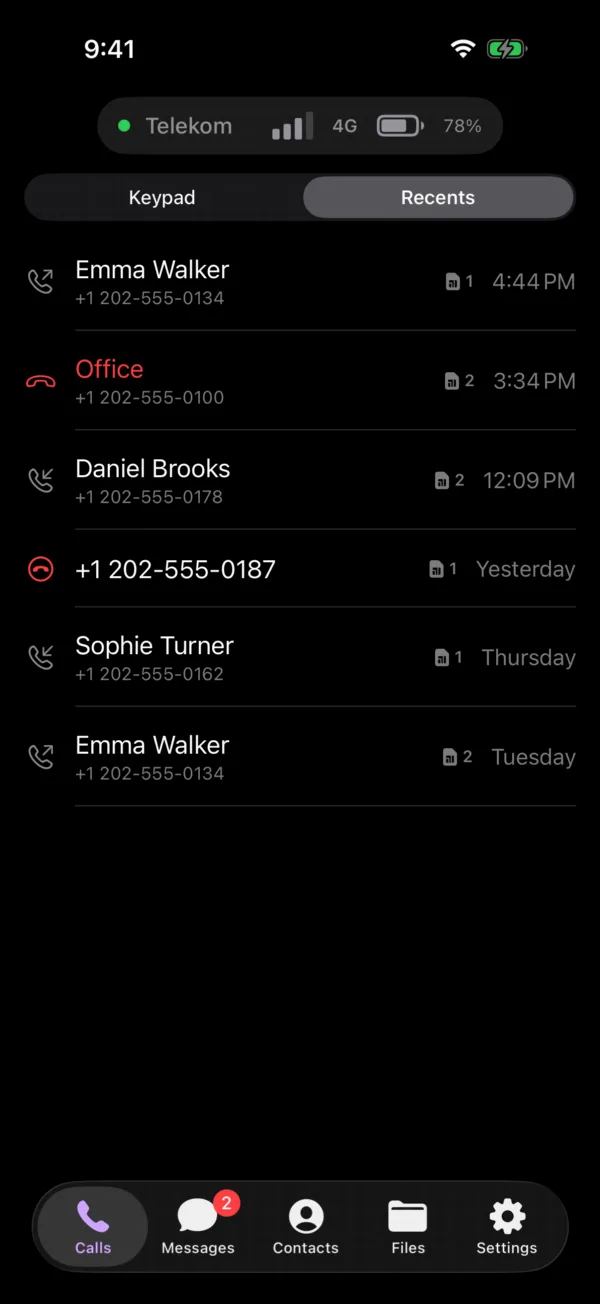
Calls to the Android SIM ring on the iPhone’s own call screen, even when it is locked. Talk on the iPhone, AirPods or speaker.
Outgoing calls on the Android line
Dial from the iPhone keypad or contacts; the call goes out through the Android SIM. Call waiting, hold and the in-call keypad included.
Texts and one-time codes
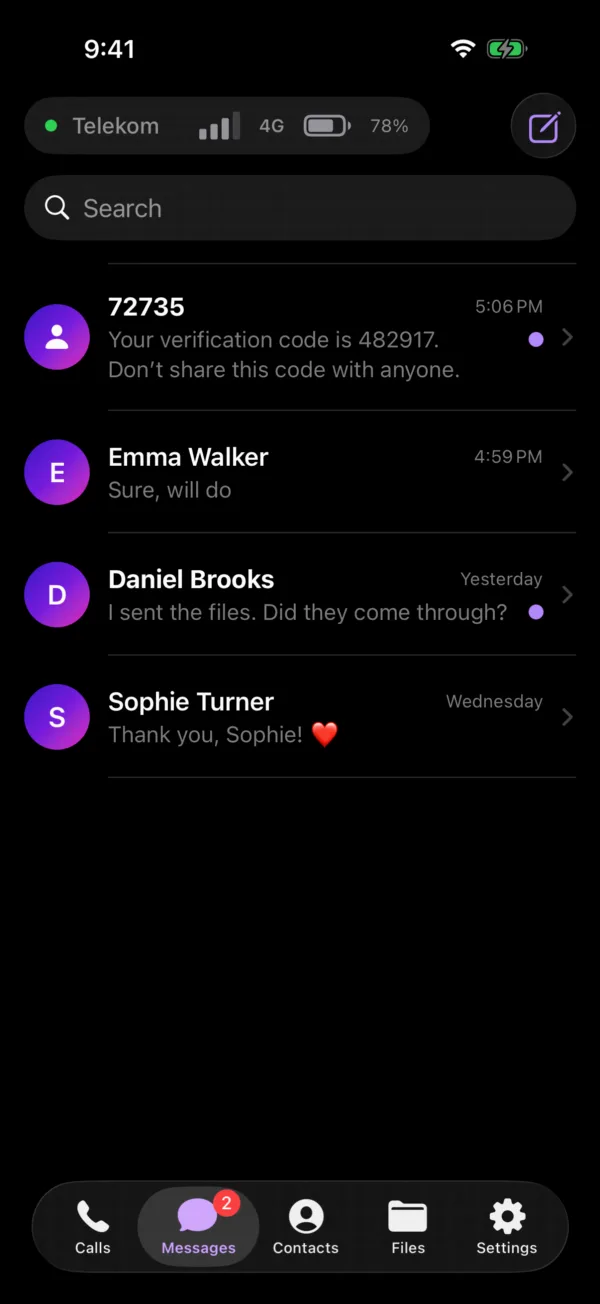
Texts arrive on the iPhone and you reply from there. Verification codes copy with one tap.
Dual SIM
If the Android phone has two SIMs, pick which line each call and text goes out on.
Contacts and history
Contacts, call history and past texts come over once, then stay in sync.
The Android phone’s files
See and save the Android phone’s photos, videos and documents from the iPhone.
Battery and signal in a widget
The Android phone’s battery, signal and unread texts on the iPhone’s Home and Lock Screen.
Dial codes and blocking
Send codes like *140# from the iPhone. Block unwanted numbers and promotional texts.
The second phone can be Android
No iPhone? Install Twinimy on another Android phone and the same calls, texts, contacts and files are there, in the look of the iPhone app.
On your Windows computer too
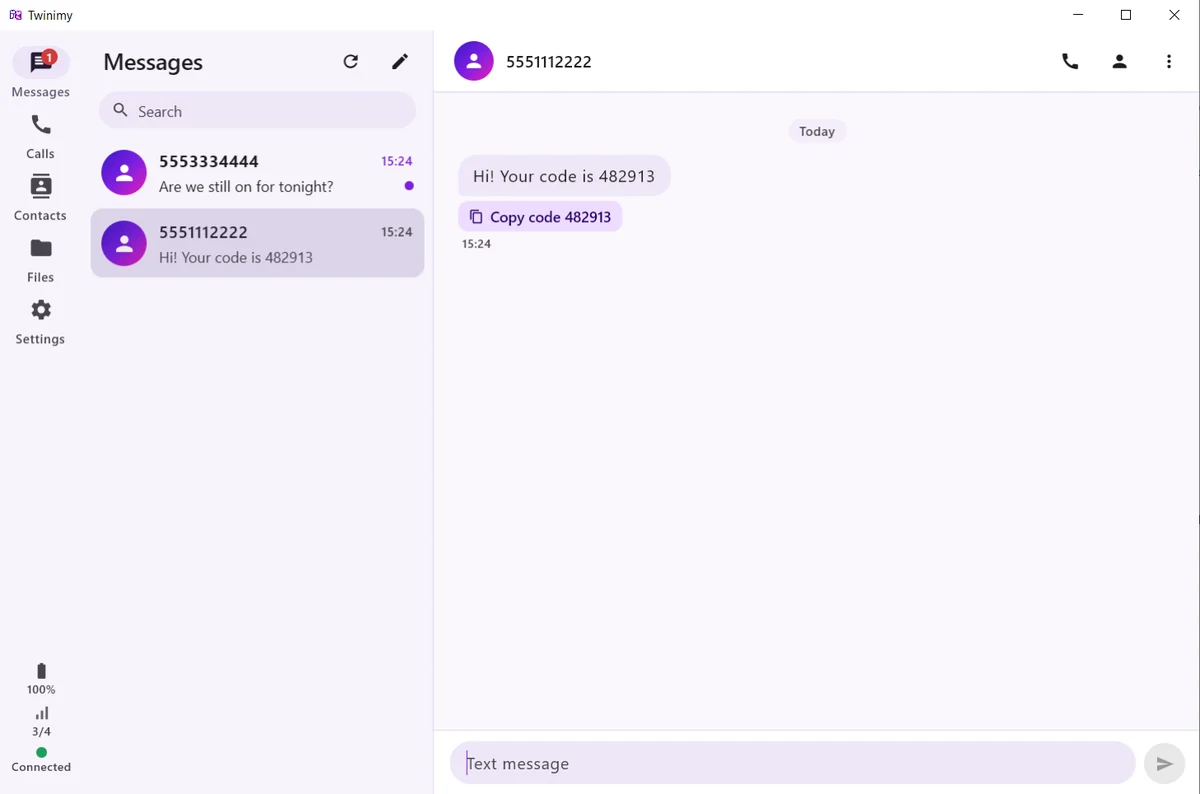
The Android phone’s calls, texts, contacts and files on your computer. Talk through its microphone and speakers or a headset, and open the phone’s files with a double-click.
All at once, no clashes
An iPhone, a second Android phone and a computer can be connected together. A call rings on all of them; whichever answers keeps the call and the others go quiet.
Calls on the computer, your choice
Don’t want the computer to ring? Switch incoming calls off in the Windows app’s settings; texts and calling out from the computer stay as they are.
Familiar
Just like the iPhone itself
Calls ring on the iPhone’s call screen and texts read like iPhone Messages. Nothing new to learn.
Rings on the Lock Screen, talk on AirPods
The Android phone’s battery and signal on every screen
Reply to a text from its notification
Text alerts on the Lock Screen, with the text hidden if you like
Windows
Your line on your computer
At your desk, no need to reach for the phone: reply to texts on the keyboard, make calls and open the phone’s files right there.
Incoming and outgoing calls through the computer’s microphone and speakers
Texts, one-click copy of one-time codes, and call history
The phone’s files open with a double-click
To connect, scan the code the computer shows with the Android phone
The Windows app is free, for Windows 10 and 11 (64-bit).
Between your own devices, not on our server
Calls, texts, contacts and files go straight between the Android phone and your other devices and never pass through our server. The link is encrypted end to end (AES-256) with a key that lives only in the QR code and is never sent over the network. Privacy policy